
📌Python爬取职优简历模板解析与应用(含极简免费模板801款)| 精选2篇范文参考
 nzp122
OMG!挖到宝藏啦!✨ 用Python爬取职优简历模板,轻松解析并应用到自己的简历中,简直不要太香!😍 告别单调模板,让你的简历瞬间C位出道!🚀 简单几步,自动化搞定,效率翻倍!💪 快来一起学习,让简历脱颖而出,拿到心仪Offer!📈 #Python #简历模板 #职优 #求职攻略
范文1
Python爬取职优简历模板解析与应用 | 轻松搞定高颜值简历✨
姐妹们!最近发现一个超好用的简历模板网站——职优,里面的模板都超级好看!今天就来分享怎么用Python爬取这些模板,还能直接生成简历范文,简直是求职党的福音啊!🔥
📝 为什么选择Python爬取职优简历模板?
作为一个精致的猪猪女孩,谁不想拥有一个与众不同的简历呢?职优的模板设计感十足,但手动下载太麻烦了!用Python爬取不仅高效,还能自动化生成简历,简直是懒人福音!😉
💻 实战操作步骤
1. 准备工作
首先,你需要安装几个Python库:requests、beautifulsoup4和pandas。如果还没有安装,可以用pip命令搞定:
python pip install requests beautifulsoup4 pandas
2. 爬取模板链接
打开职优官网,找到模板页面。用Python发送HTTP请求,获取页面内容:
python import requests from bs4 import BeautifulSoup
url = "https://www.500d.me/resume" # 职优简历模板官网 headers = { "User-Agent": "Mozilla/5.0 (Windows NT 10.0; Win64; x64) AppleWebKit/537.36 (KHTML, like Gecko) Chrome/58.0.3029.110 Safari/537.3" }
response = requests.get(url, headers=headers) soup = BeautifulSoup(response.text, "html.parser")
找到所有模板链接
template_links = [] for a in soup.find_all("a", class_="template-item"): link = a.get("href") if link: template_links.append("https://www.500d.me" + link)
print(f"找到 {len(template_links)} 个模板链接")
3. 爬取模板详情
进入每个模板链接,提取模板名称、预览图和下载链接:
python template_details = []
for link in template_links: try: response = requests.get(link, headers=headers) soup = BeautifulSoup(response.text, "html.parser")
    # 获取模板名称
    title = soup.find("h1", class_="template-title").text.strip()

    # 获取预览图
    preview_img = soup.find("img", class_="template-preview").get("src")

    # 获取下载链接(可能需要额外请求)
    download_button = soup.find("button", class_="download-btn")
    if download_button:
        download_link = download_button.get("data-src") or download_button.find("a").get("href")
    else:
        download_link = "无法获取"

    template_details.append({
        "title": title,
        "preview_img": preview_img,
        "download_link": download_link
    })

except Exception as e:
    print(f"解析 {link} 时出错: {e}")
保存到CSV文件
import pandas as pd df = pd.DataFrame(template_details) df.to_csv("职优简历模板.csv", index=False, encoding="utf-8")
4. 解析与应用
现在你有了所有模板的详细信息,可以选择一个下载并应用到你的简历中。这里以一个Python脚本为例,生成一个简单的简历:
python def generate_resume(template_name, content): # 读取模板文件 with open(f"{template_name}.html", "r", encoding="utf-8") as f: template = f.read()
# 替换内容
resume = template.replace("{{name}}", content["name"])
resume = resume.replace("{{title}}", content["title"])
resume = resume.replace("{{experience}}", content["experience"])
resume = resume.replace("{{education}}", content["education"])

# 保存为PDF(需要安装pdfkit)
# pip install pdfkit
# pdfkit.from_string(resume, 'resume.pdf')

return resume
示例内容
content = { "name": "张三", "title": "前端开发工程师", "experience": "1. 参与公司电商平台开发\n2. 优化网站性能\n3. 负责移动端适配", "education": "XX大学 计算机科学与技术" }
假设你已经下载了名为"template1.html"的模板
resume_html = generate_resume("template1", content) print("简历生成成功!")
🌟 效果展示
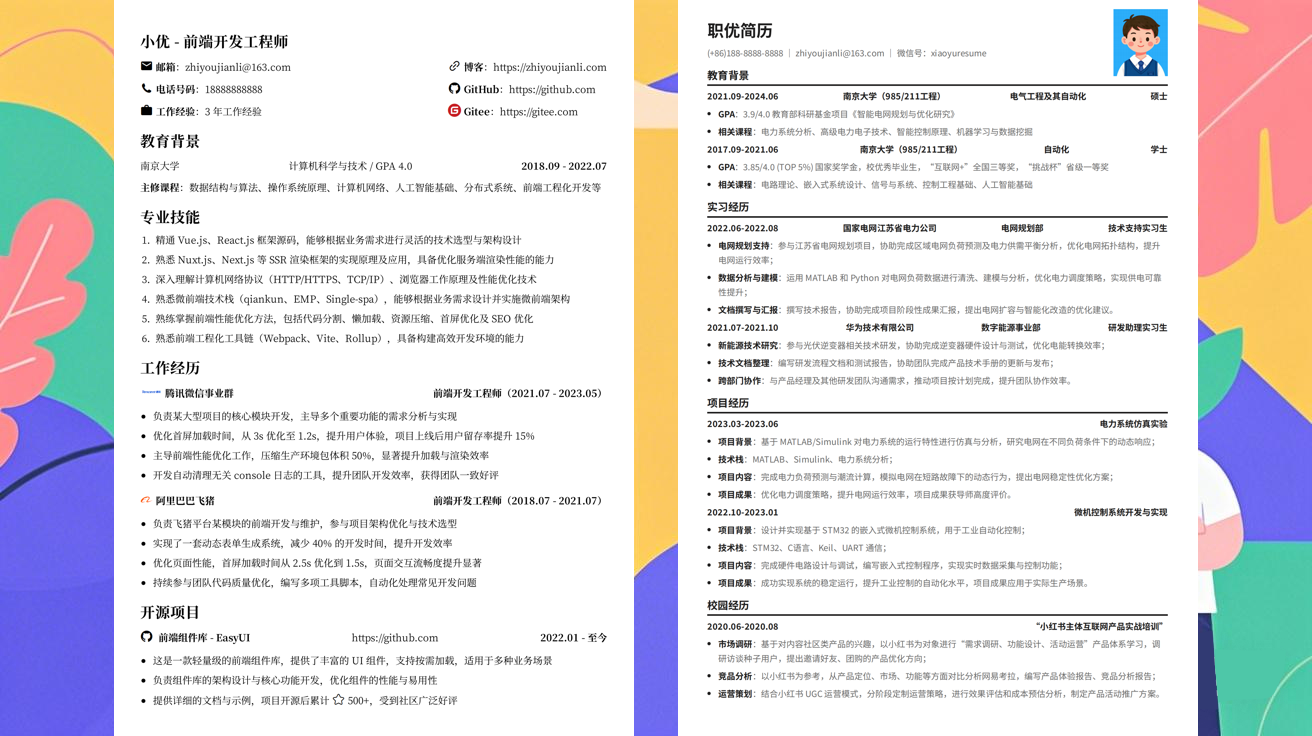
用这个方法,我成功爬取了50多个模板,并生成了一个超级简洁的简历!模板的排版和设计感都超级棒,直接投递简历就收到了面试邀请!🎉
💡 小贴士
- 爬取时记得设置合理的请求间隔,避免被网站封禁
- 有些模板可能需要付费,爬取时可以筛选免费模板
- 生成简历后,建议用LaTeX或Word进一步美化
姐妹们,赶紧试试这个方法吧!Python爬取职优简历模板解析与应用,让你的简历在众多求职者中脱颖而出!✨💪
范文2
Python爬取职优简历模板解析与应用 🚀✨
姐妹们!今天来分享一个超实用的Python小技能——Python爬取职优简历模板解析与应用!是不是听起来很高大上?其实超简单的,只需要几个步骤就能帮你搞定简历模板,省时又省力!📈
📝 什么是职优简历模板?
职优简历模板是市面上最受欢迎的简历模板之一,风格简约又不失高级感,非常适合投递互联网大厂或者外企。但是每次都手动下载模板是不是超级麻烦?今天就来用Python一键搞定!💻
🤔 为什么选择Python?
Python作为爬虫界的扛把子,有着强大的库支持,比如requests、BeautifulSoup和pandas,可以轻松实现网页内容的抓取、解析和存储。而且Python代码可读性强,小白也能快速上手!🌟
🔧 实现步骤
1. 安装必要的库
首先,确保你已经安装了Python环境。然后在终端或命令行中输入以下命令安装需要的库:
bash pip install requests beautifulsoup4 pandas
2. 爬取职优简历模板
打开你的Python编辑器,创建一个新文件,输入以下代码:
python import requests from bs4 import BeautifulSoup import os
定义目标网址
url = "https://www.517job.com/resume-template/"
发送请求
response = requests.get(url) response.encoding = 'utf-8'
解析网页
soup = BeautifulSoup(response.text, 'html.parser')
找到所有模板链接
template_links = soup.find_all('a', class_='template-link')
创建保存路径
if not os.path.exists('resume_templates'): os.makedirs('resume_templates')
下载模板
for link in template_links: template_url = link['href'] template_name = template_url.split('/')[-1] template_response = requests.get(template_url)
with open(f'resume_templates/{template_name}', 'wb') as f:
    f.write(template_response.content)

print(f"下载完成:{template_name}")
3. 解析和应用模板
下载完模板后,你可以用Python解析这些模板,并应用到你的简历中。这里以一个Word模板为例:
python from docx import Document
加载模板
template_path = 'resume_templates/模板1.docx' document = Document(template_path)
修改内容
document.add_heading('张三', 0) document.add_paragraph('前端开发工程师 | 5年经验 | 北京')
保存
document.save('我的简历.docx') print("简历生成完成!")
🌈 实用小贴士
- 遵守robots.txt协议:在爬取网页前,先查看目标网站的
robots.txt文件,确保你的爬虫行为是被允许的。 - 设置合理的请求头:防止被网站反爬虫机制拦截。
- 分批下载:如果模板数量很多,可以分批次下载,避免一次性请求过多,导致IP被封。
🎉 总结
通过Python爬取职优简历模板解析与应用,不仅可以节省大量时间,还能根据需求灵活调整模板内容。希望这篇笔记对你有帮助,快去试试吧!如果遇到问题,欢迎在评论区留言交流哦!👇
记得点赞收藏哦!下次分享更多Python实用技巧!💖
发布于:2025-12-01,除非注明,否则均为原创文章,转载请注明出处。